How to Attach Documents (Optional)
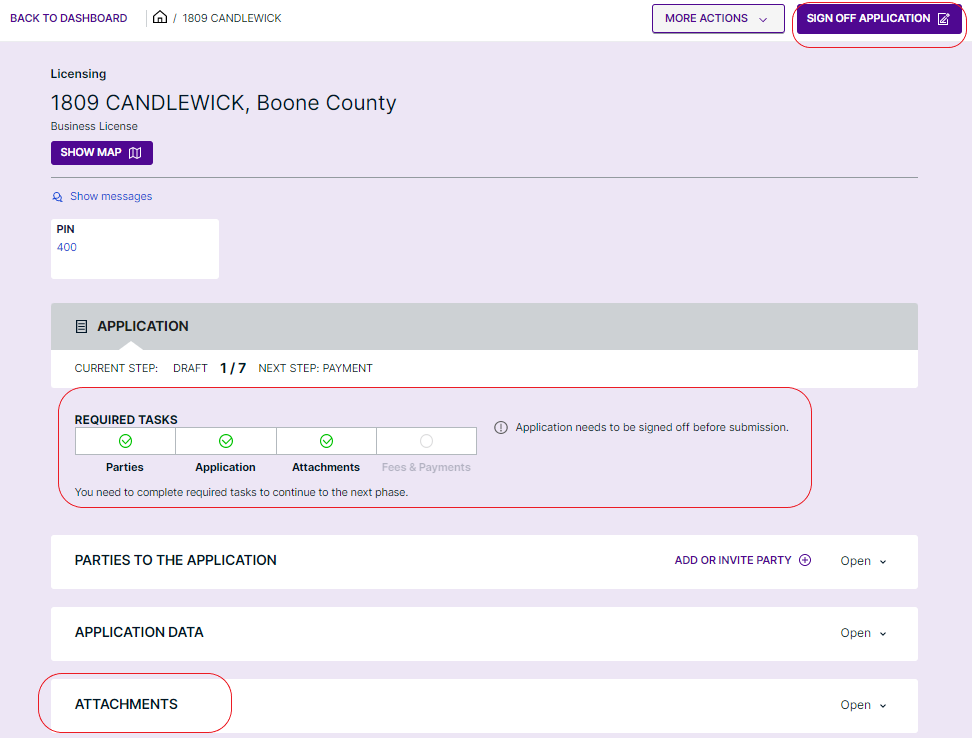
- Navigate to the "Attachments" section: Here, you can add any documents relevant to your application. Detailed instructions for this step are available within the section. For more information on how to upload attachments navigate here.
Digitally Signing Off on Your Application
- Initiate Sign-Off: Find and click the "Sign Off Application" button located at the top right corner of the application header.
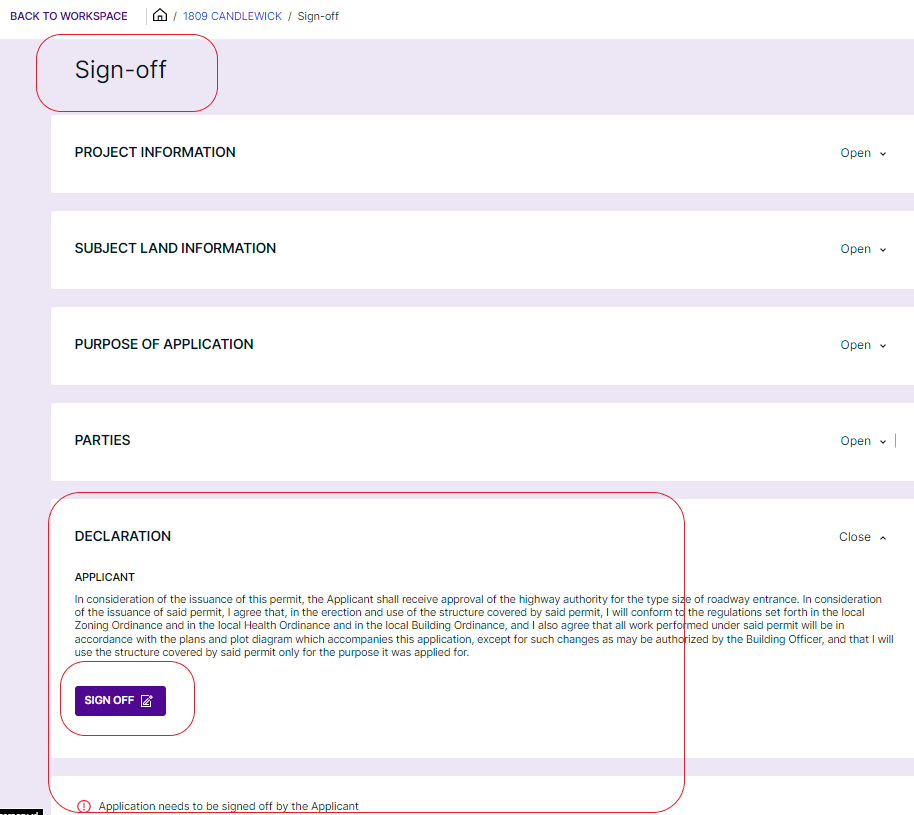
- Enter the Sign-Off Workspace: You will be directed to a dedicated workspace for the sign-off process. Within this workspace, locate and click "Sign Off" in the "Declaration" section.
- Complete Digital Signature: By clicking "Sign Off," you affirm that all information provided in the application is accurate to the best of your knowledge, thereby officially signing your application.
 You have now signed your application. Should an upfront payment be required click "Continue to Payment." to enter the "Fees & Payments" section in the application workspace.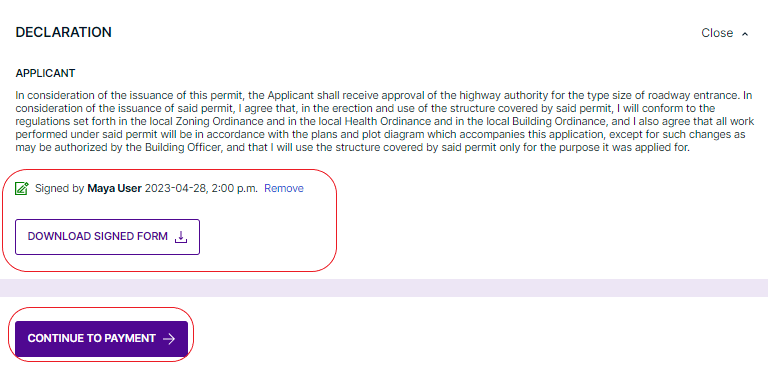
Was this article helpful?
That’s Great!
Thank you for your feedback
Sorry! We couldn't be helpful
Thank you for your feedback
Feedback sent
We appreciate your effort and will try to fix the article