Before submitting certain types of applications in Cloudpermit, applicants may be required to make an upfront payment to the municipal building department. This guide outlines how applicants can determine if their application requires an upfront payment and how to proceed with the payment process within the Cloudpermit platform.
Steps to Determine if Your Application Requires an Upfront Payment:
- Application Creation:
- After creating your application within Cloudpermit and completing all necessary details, proceed to the Sign-Off workspace.
- Notification of Payment Requirement:
- Cloudpermit will notify you if your application requires an upfront payment before proceeding. This notification typically appears after you have signed off on the application.

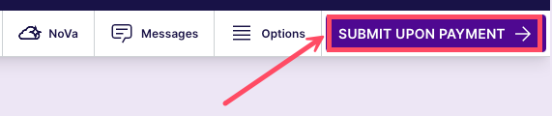
- Look for the SUBMIT UPON PAYMENT button in the Sign-Off workspace.
- Note: Once an applicant is added via email, only the applicant can complete the sign-off.
- Cloudpermit will notify you if your application requires an upfront payment before proceeding. This notification typically appears after you have signed off on the application.
- Payment Verification:
- Click on the Continue to Payment button to proceed with verifying the payment requirement.
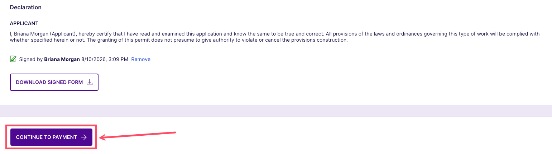
- Click on the Continue to Payment button to proceed with verifying the payment requirement.
- Viewing Unpaid Fees:
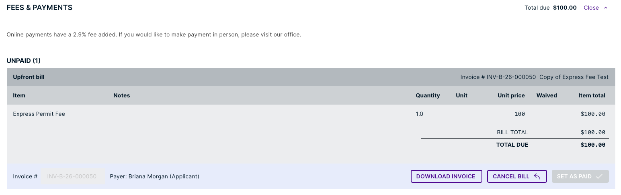
- Scroll down to the Fees and Payments section in the application workspace.
- Under the Unpaid section, you will see the total amount owed for the upfront payment.
- Payment Methods:
- Cloudpermit offers various payment methods, such as cash, check, credit card, debit, and e-transfer for municipalities. However, the available payment options may vary depending on the municipality.
- Review the provided information in the Fees & Payments section for instructions on how to make the payment.
- Payment Acknowledgement:
- After completing the payment as directed by your municipality's building department, the municipal authority will acknowledge your payment within the application.
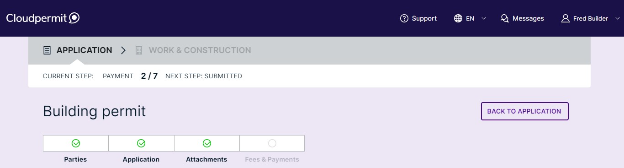
- The status of your application will be changed to Submitted, and it will proceed to the application review phase.
By following these steps, you can easily determine if your application requires an upfront payment in Cloudpermit and proceed with the payment process accordingly.
If further assistance is needed regarding the payment or application process, you should contact their municipal building department for guidance.
Was this article helpful?
That’s Great!
Thank you for your feedback
Sorry! We couldn't be helpful
Thank you for your feedback
Feedback sent
We appreciate your effort and will try to fix the article