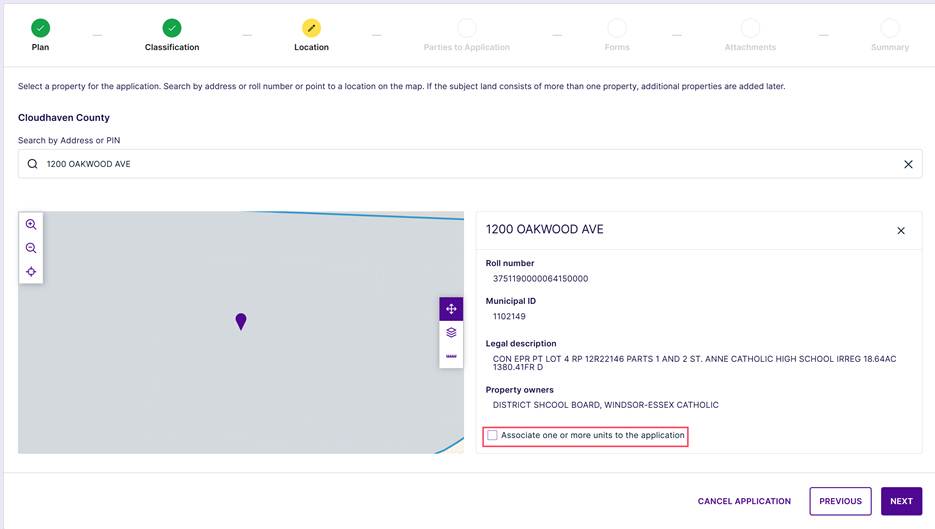
If a property has one or more units, they can be added after selecting the property location.
To add a unit, select the checkbox to add one or more units to the application.
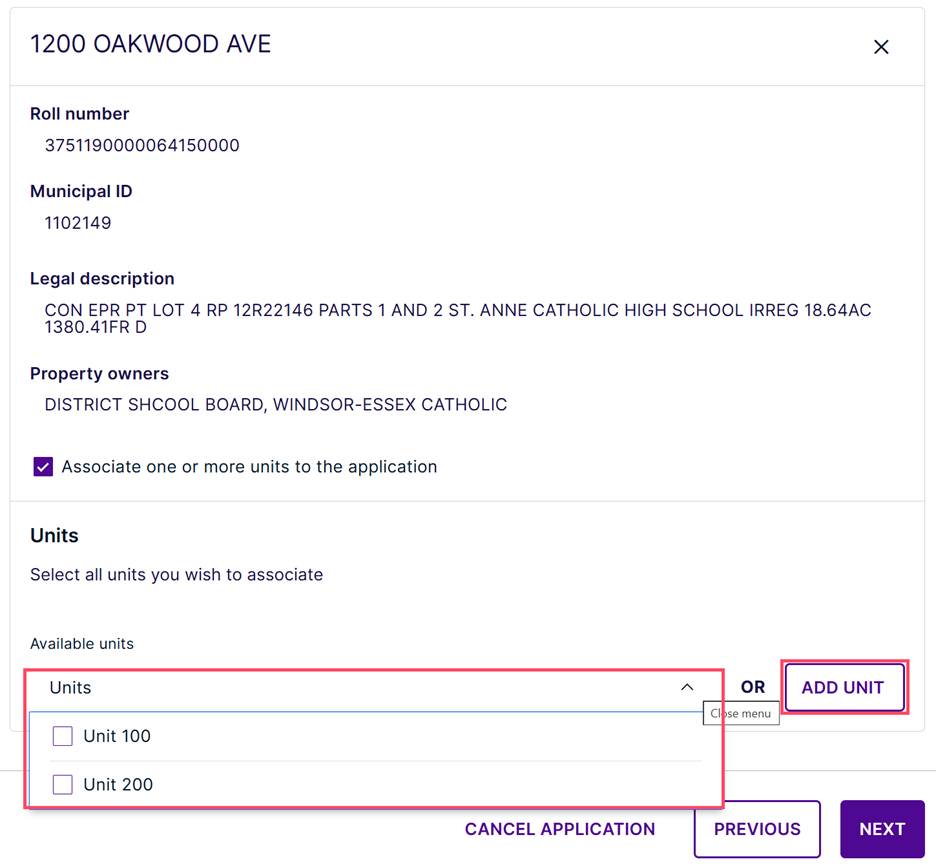
If the property has units previously defined, they can be selected via the drop-down menu, or click “Add Unit” to create a unit not currently available.
Enter in the Unit Number and select the appropriate Unit designator (communities will have the appropriate Unit designator configured), then click Add Unit.
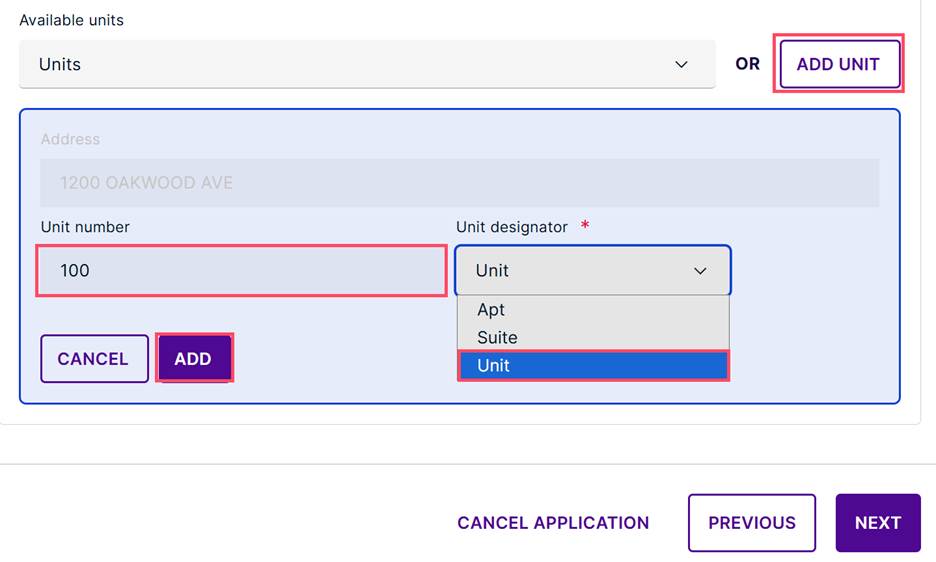
Repeat to add any additional units.
Was this article helpful?
That’s Great!
Thank you for your feedback
Sorry! We couldn't be helpful
Thank you for your feedback
Feedback sent
We appreciate your effort and will try to fix the article