Applicants can use Cloudpermit to withdraw their building and planning applications after submitting them to the municipal building and planning departments. You must explain your reasons for withdrawing and request approval from the municipality. The municipal authority will usually accept the withdrawal once the request is submitted.
However, applicants can also withdraw their withdrawal request before the authority agrees to it. In that case, the application will resume the process automatically.
- Navigate to your desired workspace.
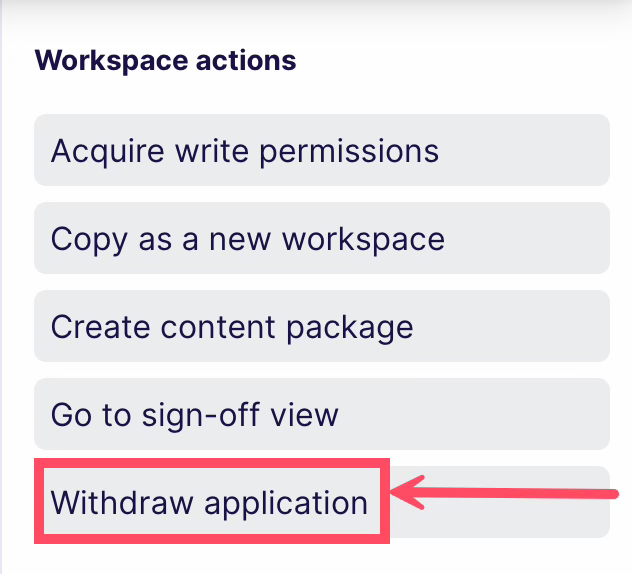
- Find the More Actions menu (three lines) in the top-right corner of the screen and select Withdraw Application.
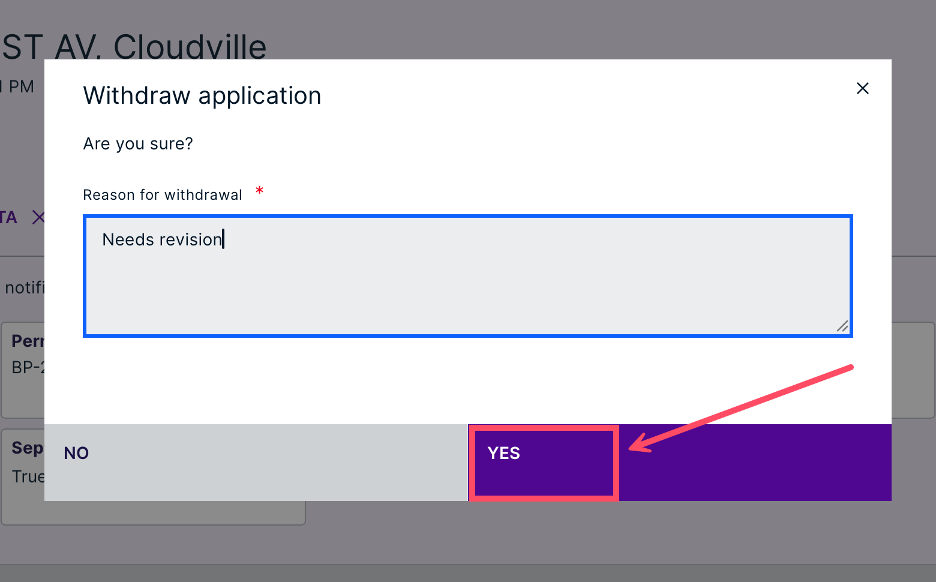
- Give a reason for the withdrawal, then click Yes.
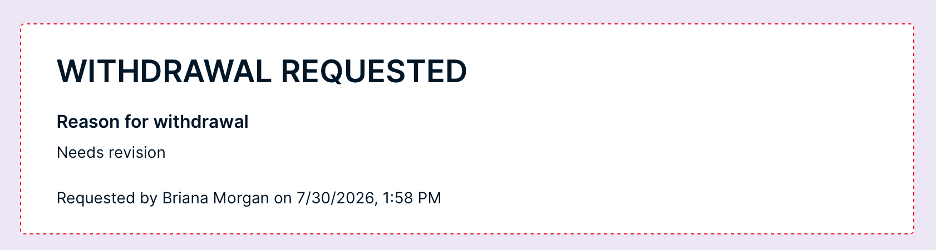
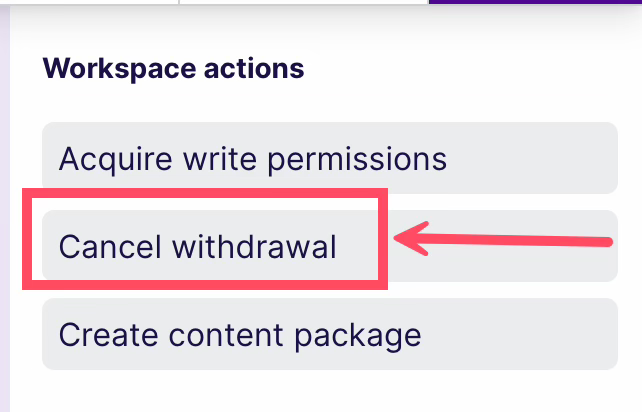
- The request has been forwarded to the appropriate municipal authority. You can still cancel this request by going to the workspace's top and clicking Cancel Withdrawal. In that case, the application will resume the process automatically.
- When the municipal authority accepts your request, the application status changes to Withdrawn.
Was this article helpful?
That’s Great!
Thank you for your feedback
Sorry! We couldn't be helpful
Thank you for your feedback
Feedback sent
We appreciate your effort and will try to fix the article