Initiate a new workspace in contractor registration, building permit, public works, planning, or land use. If a bond is required, the workspace will have a new section for Bonds.
Click the Create Bond Application button.

Note: If you are creating a bond from a workspace and the business is present in that workspace, you can choose to assign the bond either to the business or to an individual on the workspace.
Complete all required fields (auto-populated applicant field)
- Bond type, number, value, expiration date, description
- Additional required fields based on configuration: bond company name/email
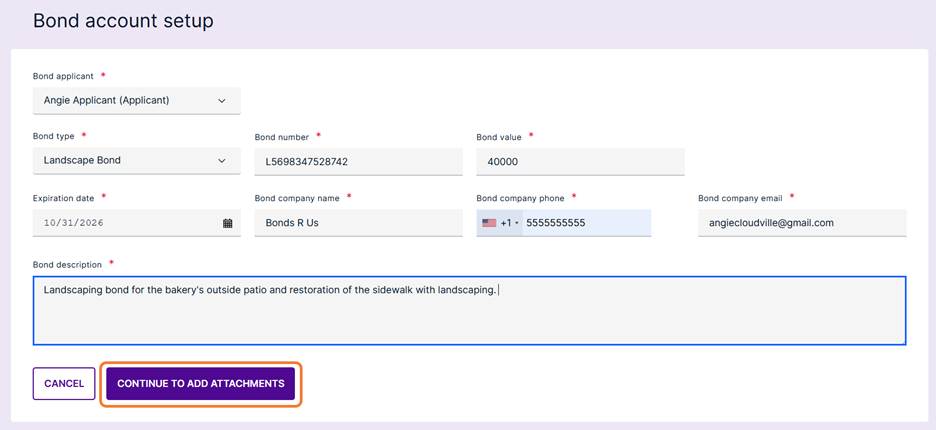
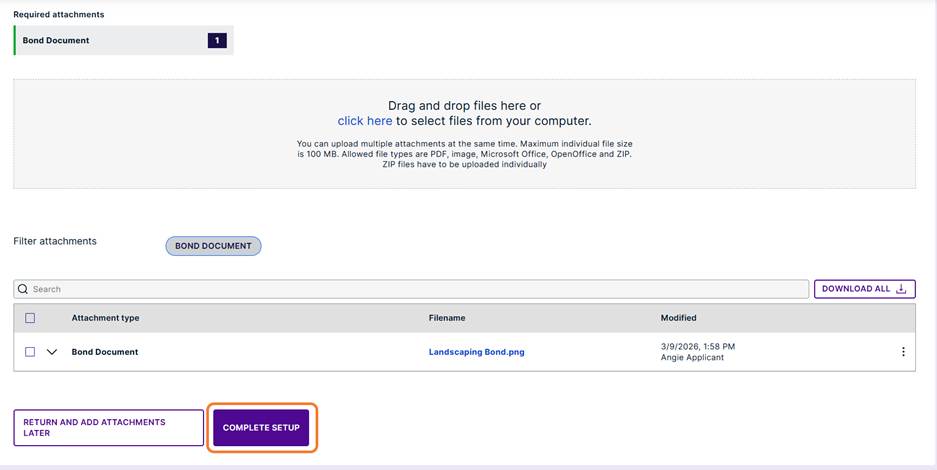
If attachments are required, click the Continue to Add Attachments button.
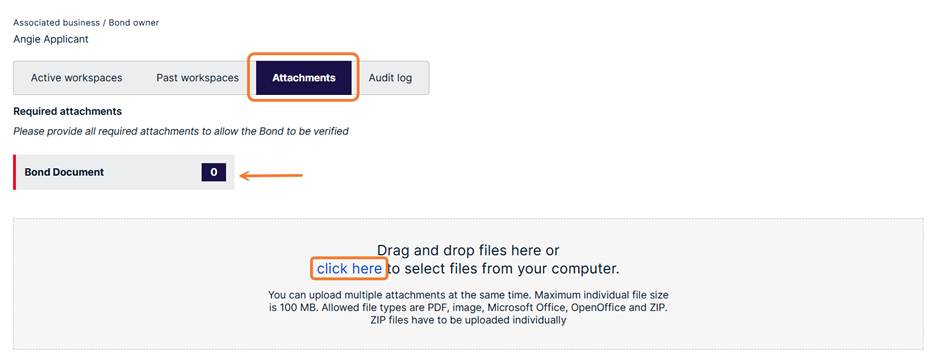
Click to browse for the file or drag and drop over the shaded area.
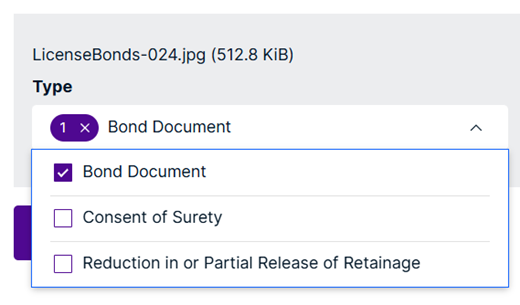
Select the type of attachment from the drop-down menu.
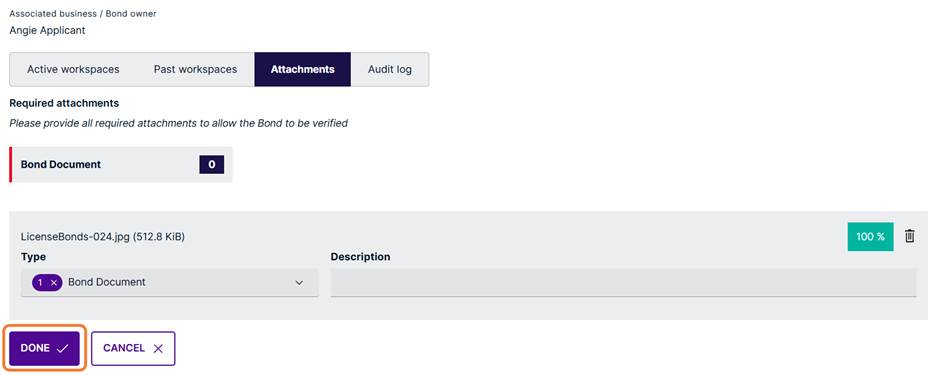
When finished, click the Done button.
Once verified, bonds can be associated with workspaces.
If the documents are not yet available select the option to Return and Add Attachments Later.

The bond cannot be verified without the required attachments.
After all submittal requirements have been met, click the Complete Setup button to send the bond for verification. (if required)
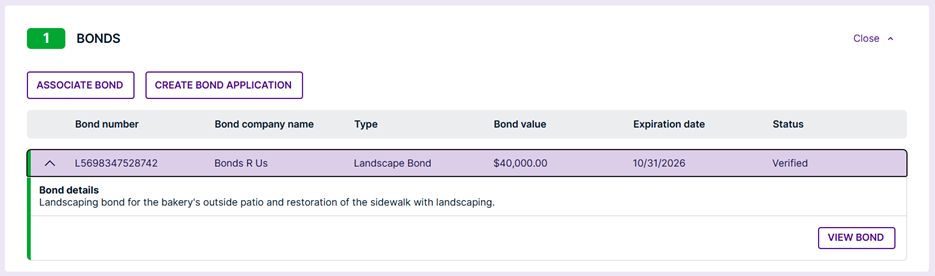
Verified Bond
After verification the bond and all pertinent information is viewable on the associated workspace.
Was this article helpful?
That’s Great!
Thank you for your feedback
Sorry! We couldn't be helpful
Thank you for your feedback
Feedback sent
We appreciate your effort and will try to fix the article