Cloudpermit provides an ability to add a corporation or partnership information to your data in My Profile, accessible from the Dashboard header. The information is essential to have in place, for example, if you are authorized to sign off the applications.
In this tutorial, you will learn how to add to your data if you work on behalf of a corporation or a partnership.
- Click your name in the top-right corner of the screen, then click My Profile.
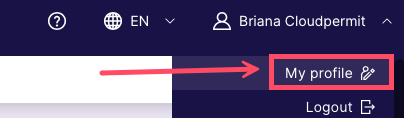
- Go to Name and Corporation.
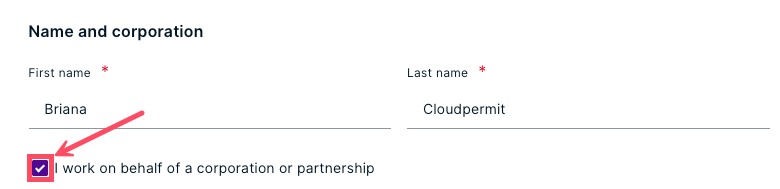
- Check the box beside I work on behalf of a corporation to a partnership.
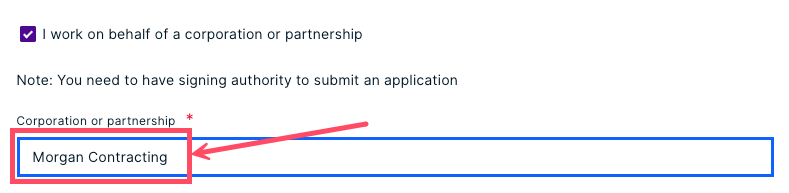
- Enter the name of the corporation or partnership. Your changes will save automatically.
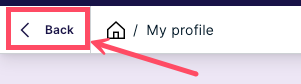
- To return to your Dashboard, click the < Back button at the top of the page.
Was this article helpful?
That’s Great!
Thank you for your feedback
Sorry! We couldn't be helpful
Thank you for your feedback
Feedback sent
We appreciate your effort and will try to fix the article