Removing a Party from the Application
Only applicants and parties to whom the applicants have granted permission to modify can change the information of a party in the "Parties to the Application" section.
Furthermore, only applicants can remove parties from their applications. If a party is removed from one application, the individual can still work on another application, for example, in the supplemental application, to which the party has been invited.
Removing a Party
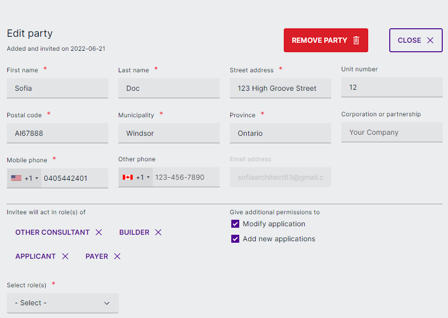
- Scroll to "Parties to the Application." Select the party card and click the blue pencil symbol on the card.

- Click "Remove Party."
- Confirm by clicking "Remove."
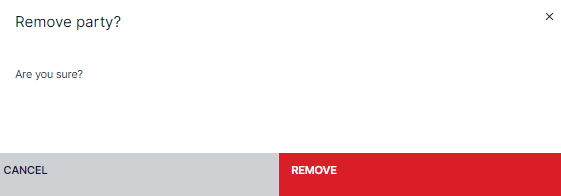
- The chosen party has been removed from the application, and the individual cannot access it.
Removing or Disconnecting a Contractor Registration Link
If a party role in Building no longer needs to be associated with Contractor Registration, there are two different methods to use, depending on whether the role has been used.
If the party role has not been used:
1. Open the Building configuration.
2. Click the EDIT button.
3. Locate the party role.
4. Select the three dots (options).
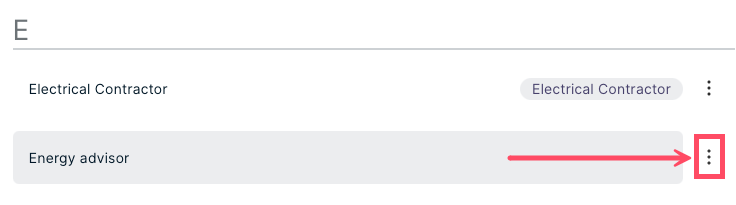
5. Choose either:
a. Remove Party role, or
b. Assign a trade (if you want to configure it instead)
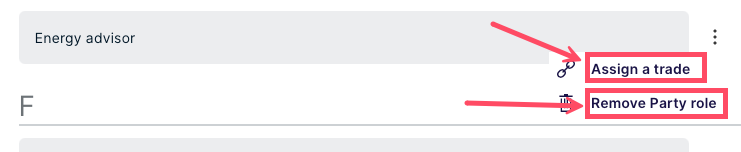
If the party role has already been used:
The role cannot be removed because it has existing system references.
1. Click the EDIT button.
2. Select the three dots (options).

3. Click Assign a Trade.

4. In the trade selection window, choose None.
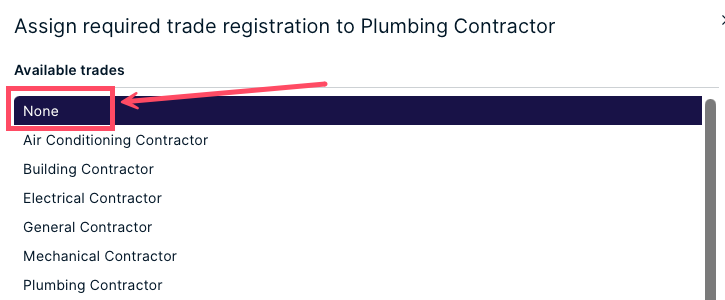
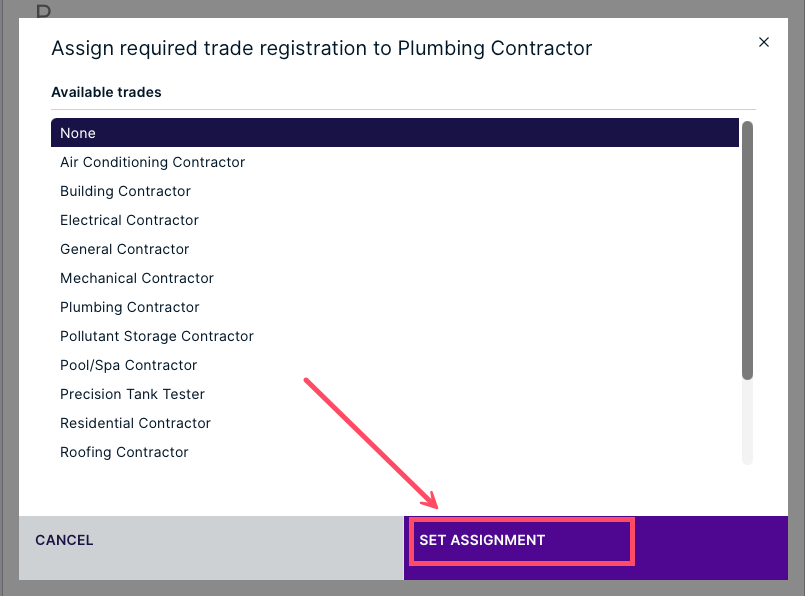
5. Click SET ASSIGNMENT to save the change.
a. Note: Selecting None disconnects the Building party role from Contractor Registration while preserving existing records.
Was this article helpful?
That’s Great!
Thank you for your feedback
Sorry! We couldn't be helpful
Thank you for your feedback
Feedback sent
We appreciate your effort and will try to fix the article